Mochavi product
Inspect developer data locally in your browser.
Open JSON, logs, tokens, configs, tables and specs in a local browser viewer. Inspect the data, edit when needed, search it and copy only what you need.
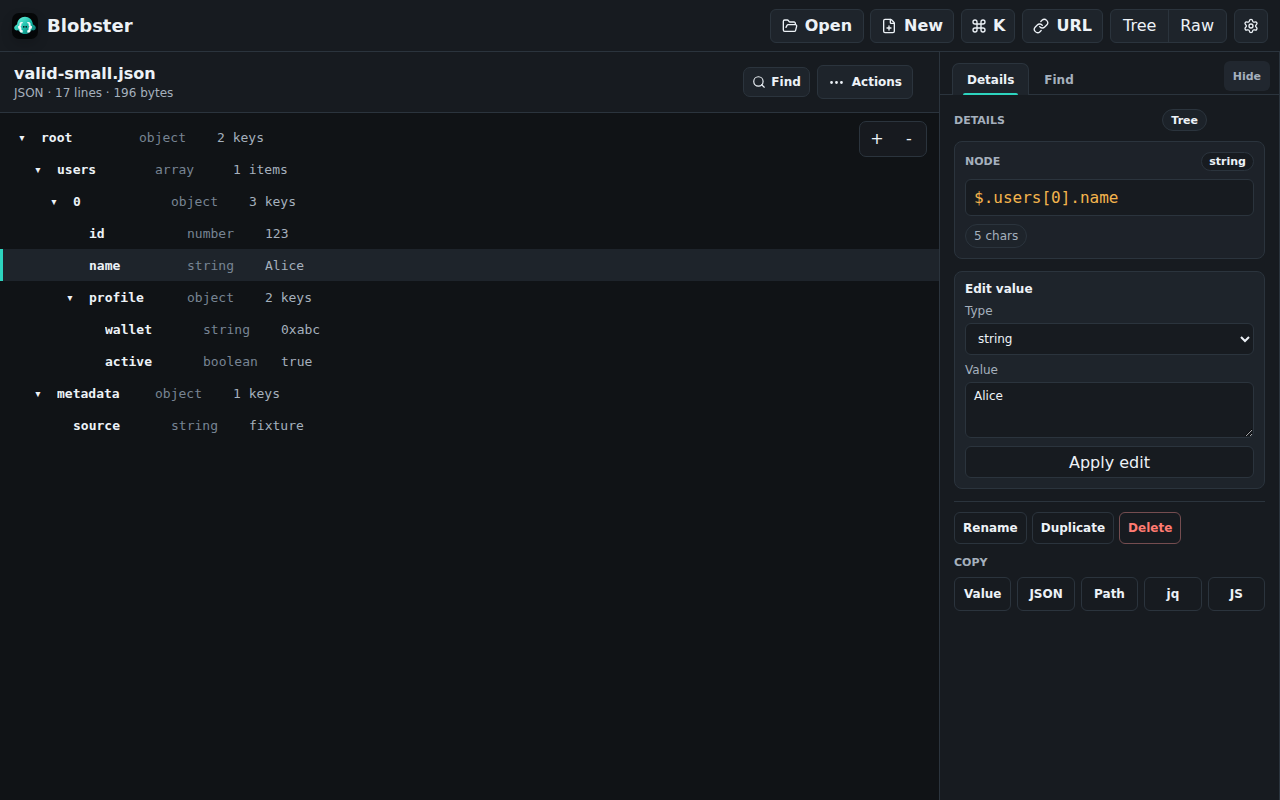
Built for sensitive debugging work.
Developer files often include tokens, headers, customer payloads, internal URLs, configs, logs or support evidence. Blobster keeps that review on your device.
No upload Files and pasted text stay in the browser.
No account Use it without creating a workspace.
No telemetry No analytics or product tracking in the extension.
No public paste URL Nothing is published to share a formatted view.
What Blobster is for.
Use it when a response, token, log, config or export is hard to read raw and too sensitive for a public formatter.
Open Files, pasted text, direct URLs, selected page text and raw structured pages.
Inspect Tree, table, raw, Markdown, HAR, OpenAPI and format-specific views.
Copy Values, paths, subtrees, redacted output or edited data.
Formats covered.
Payloads JSON, NDJSON, JSONL, JWT, HAR
Configs YAML, TOML, XML, .env, OpenAPI
Tables and docs CSV, TSV, Markdown
Common jobs.
Focused pages for private formatting, line-delimited logs, token decoding, HAR review and path copy.
Guides and comparisons.
Source-backed articles for real workflows, available as HTML, Markdown and RSS.